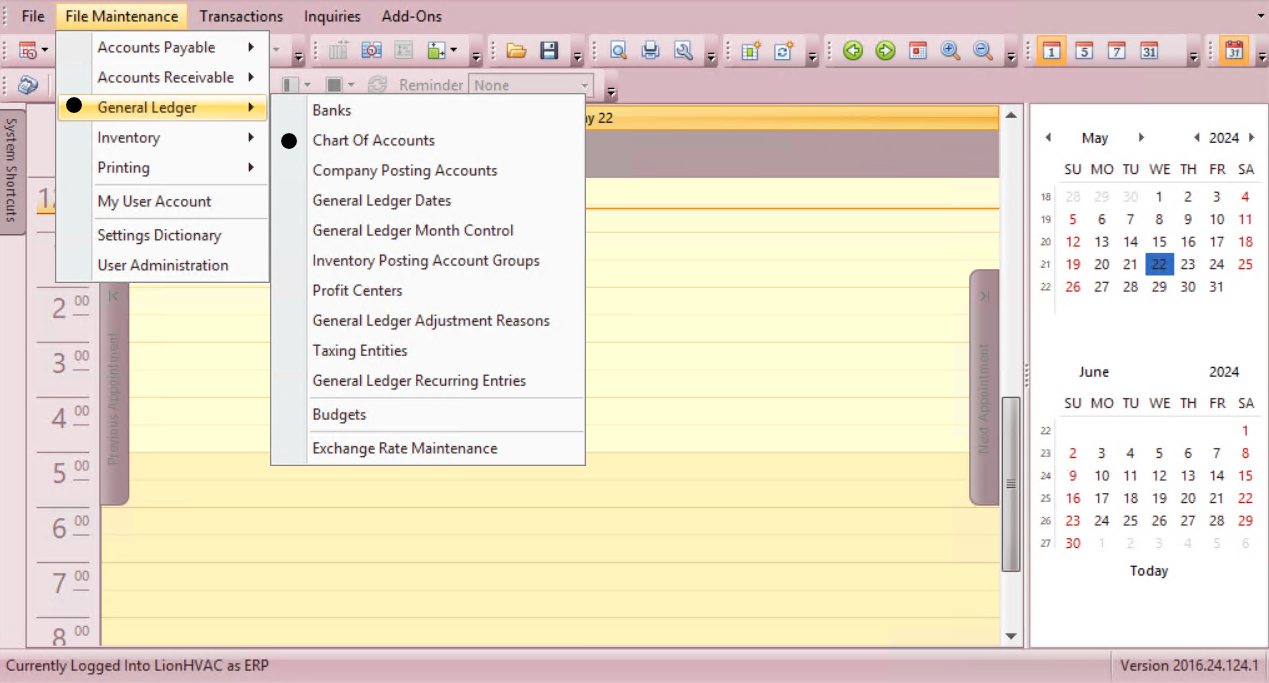
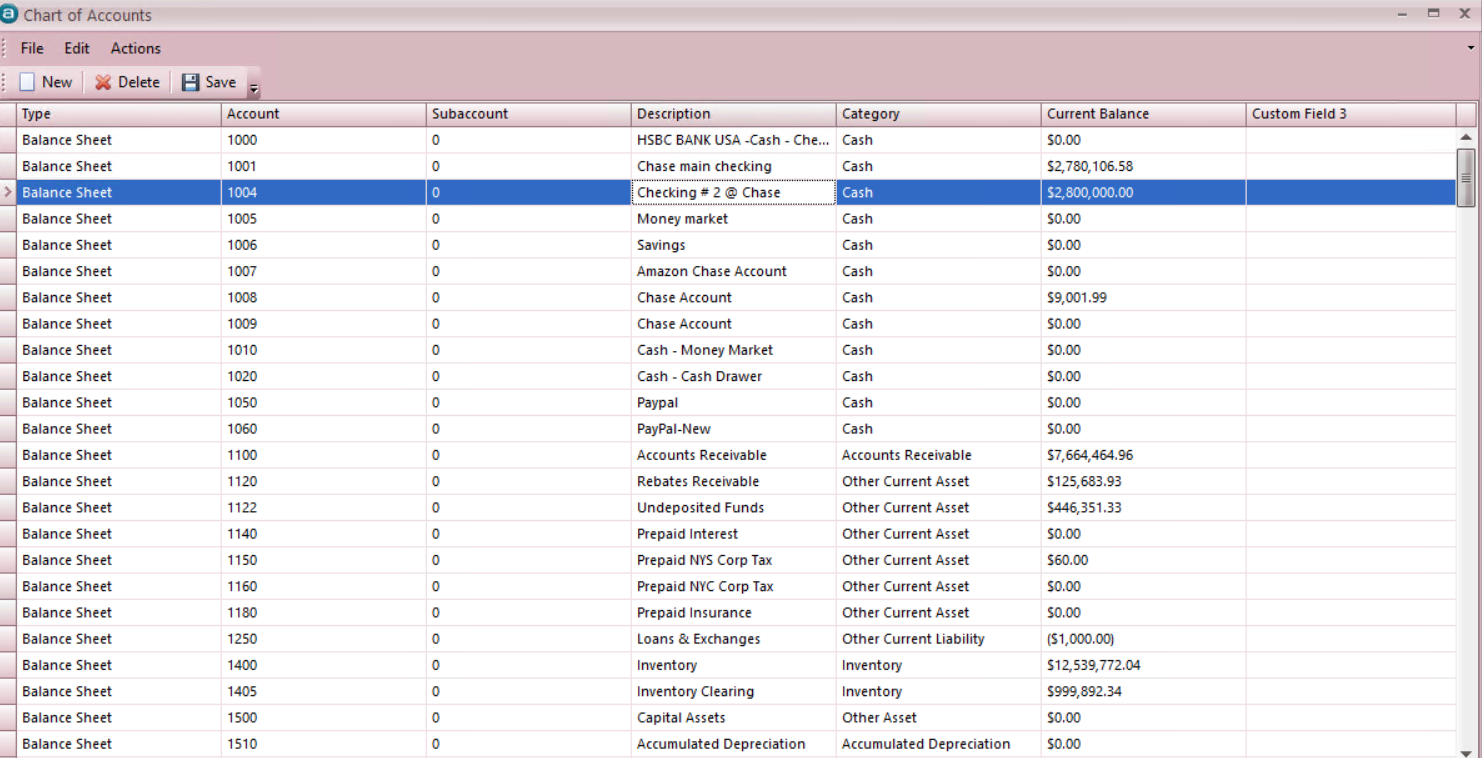
New - - Profit & Loss - (by your company structure) - (by your company structure) - (by your company structure) - - Operating Expense.
Type
Account Number
Subaccount
Description
Category
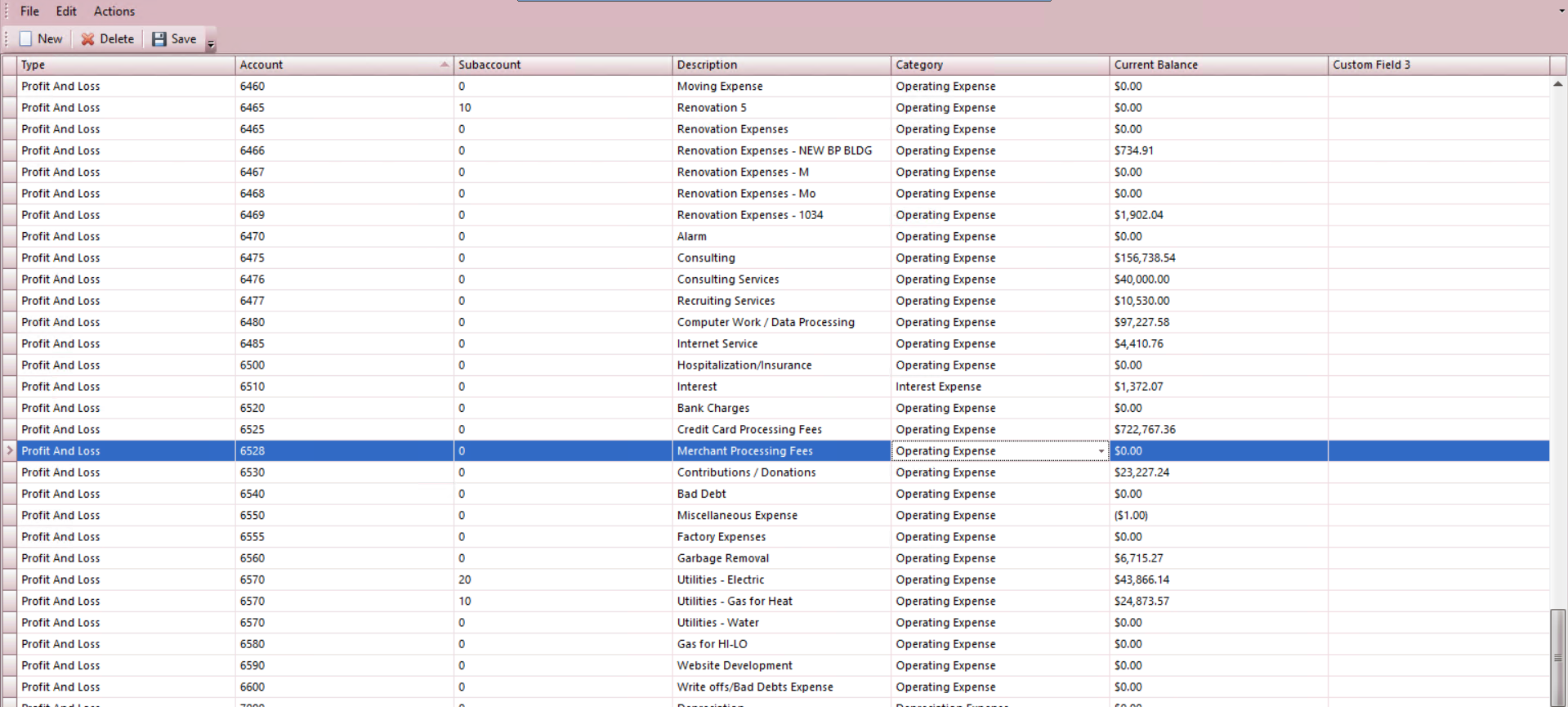
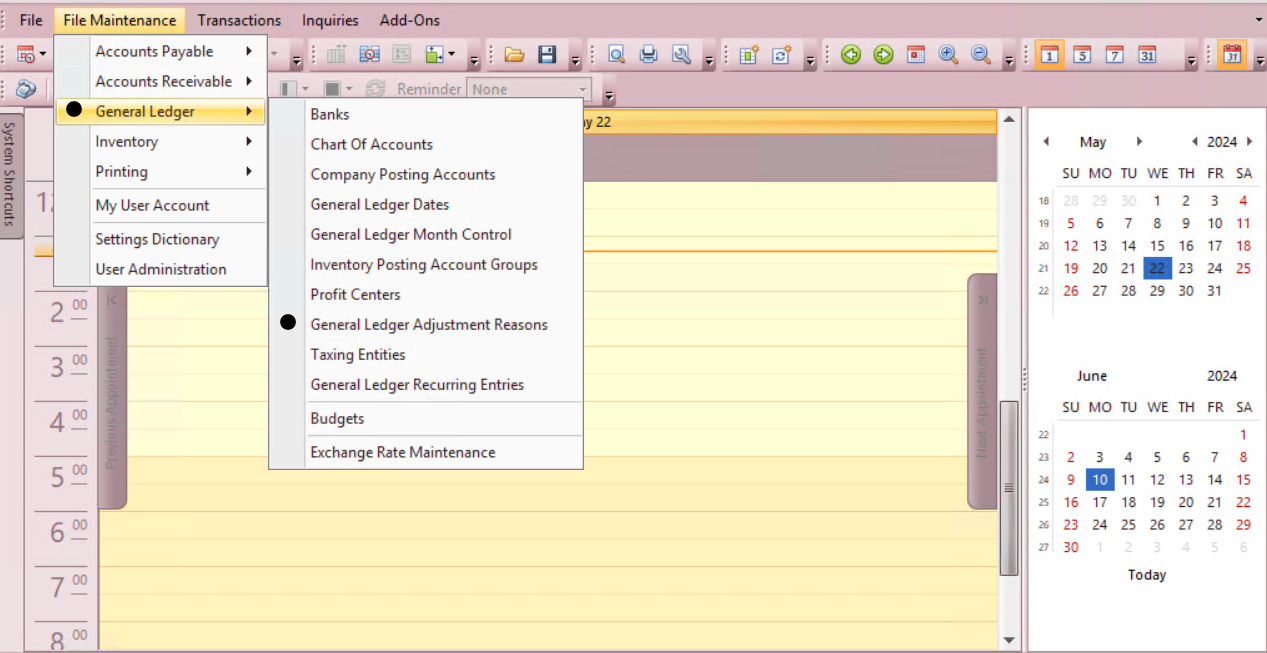
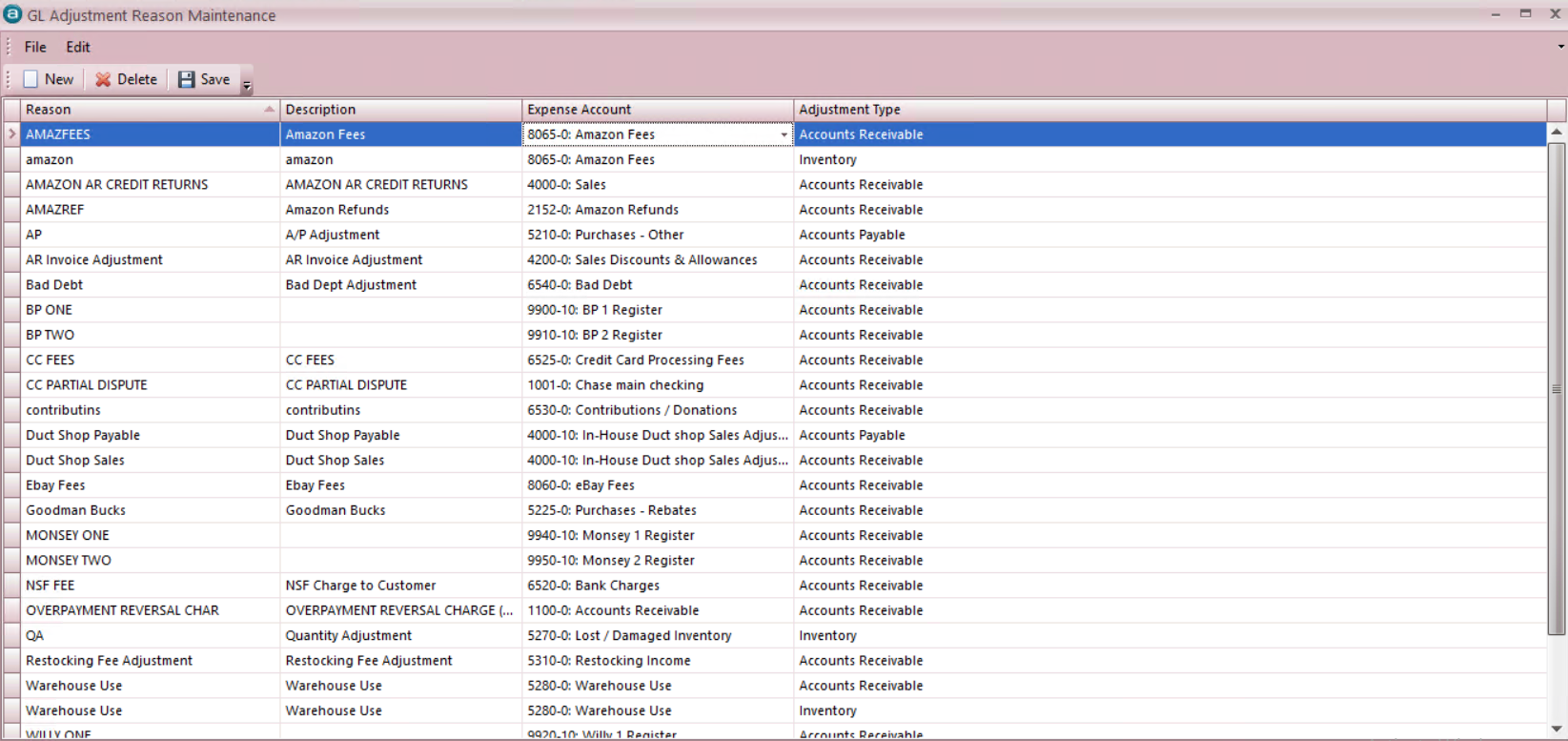
New - - Merchant Fees - Merchant Fees - (in our case Account# 6528) - (Accounts Receivable).
Reason
Description
Expense Account
Adjustment Type
Moving forward our New Adjustment Reason will appear in the Cash Back "Buckets" in the Bank Deposit Screen and can be used while doing a Bank Deposit for the Merchant that deducts fees.